

Supported assets
Before constructing a deposit, callGET /v1/query/assets to retrieve the list of tokens currently supported across Byzantine vaults.
Byzantine currently supports USDC and EURC stablecoins.
- Get the deposit payload for the user to sign with the authentication method used.
- Submit the signed payload to execute the deposit transaction.
- [Optional - only for fiat deposits] User deposits fiat into a dedicated bank account to convert it to stablecoins, known as on-ramping.
- Execute the deposit transaction to transfer the stablecoins into a Byzantine vault.
The integrator will have to call different API endpoints based on the authentication method used.
1. Signing the deposit transaction
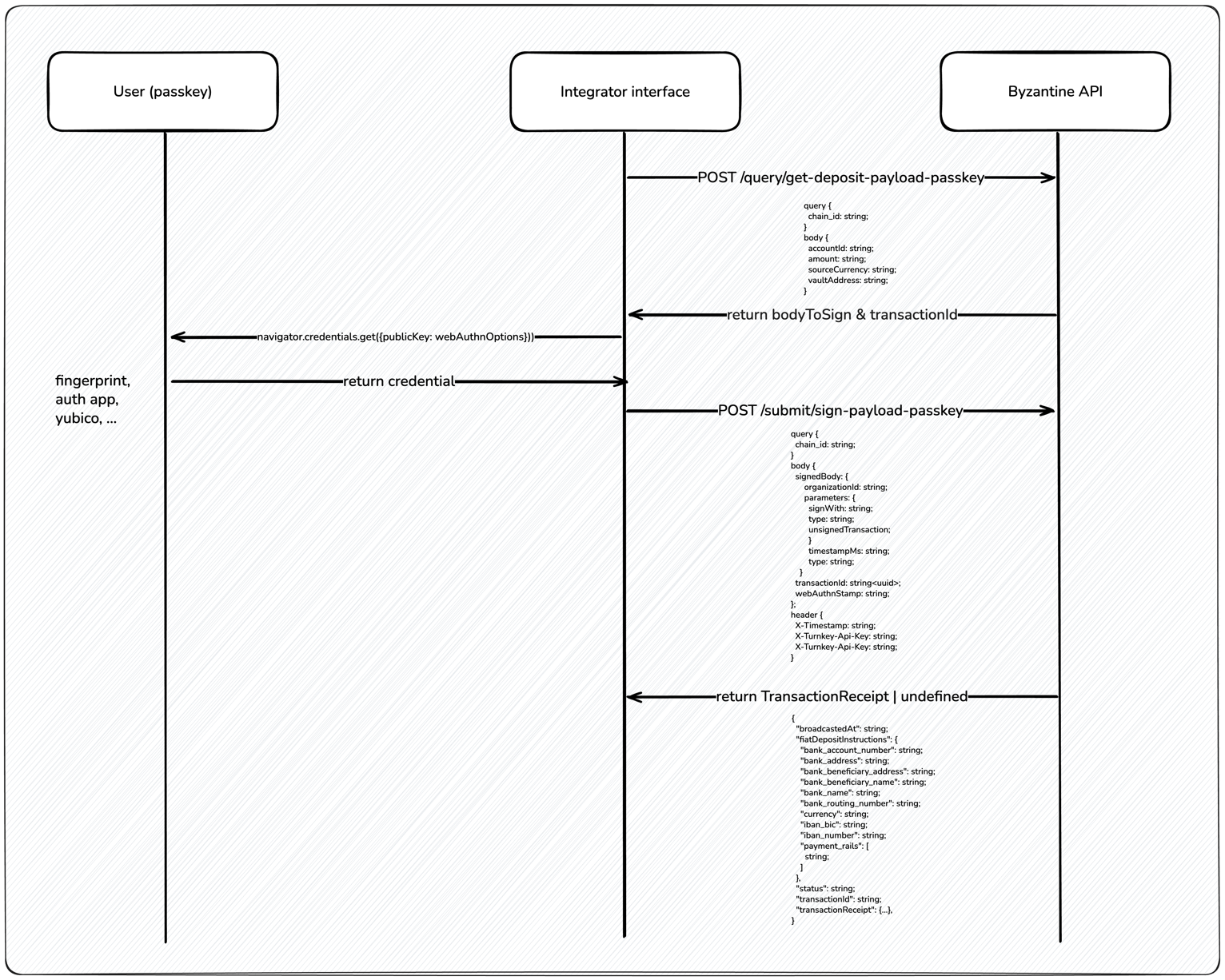
- Passkey
Initiating the deposit is once again a two-step transaction.
- Get deposit payload, which requests the transaction body to sign.
-
Sign a payload (passkey), which submits the signed transaction.
2. [Optional] Depositing fiat into bank account (on-ramping)
On-ramping assets is done via Bridge, our on- and off-ramping partner. A dedicated bank account is automatically created for each user based on their fiat currency and the vault’s currency. Once the deposit transaction is signed, the bank account details are provided to the user. The user must deposit fiat into this dedicated bank account to convert it to stablecoins. Any funds sent to the bank account are automatically converted into the vault’s currency.This step can be skipped if user is depositing stablecoins directly.
3. [Automatic] Executing the deposit transaction
- Stablecoins deposit
- Fiat deposit
Once the deposit transaction is signed (step 2), the stablecoins will be transferred immediately into the Byzantine vault.
For users depositing stablecoins, the transaction is immediately broadcasted, i.e. the status is set to
completed.