

How can I create an account for a client?
Byzantine allows you to open and manage accounts on behalf of corporate clients. The process has three steps: creating the account, adding the team, and completing identity verification.Step 1: Create the account
Step 1: Create the account
-
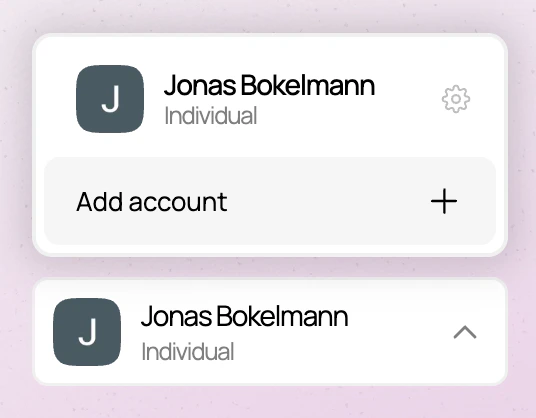
In the account picker in the bottom left of your dashboard, select “Add account”
-
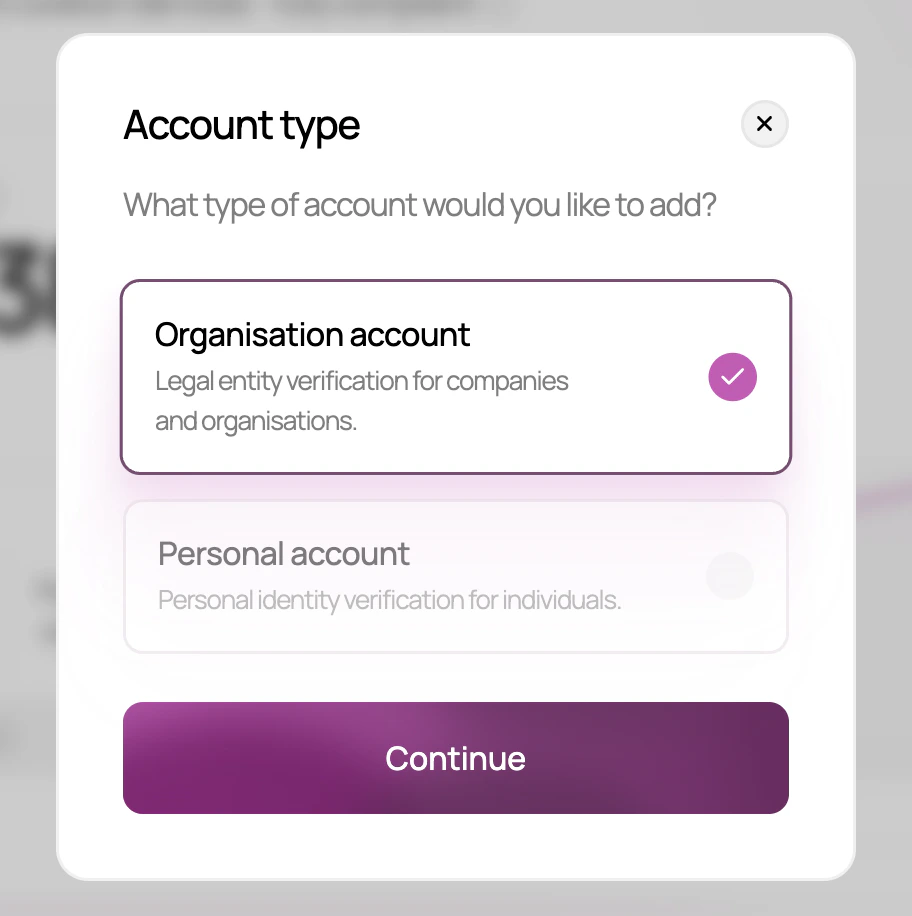
Select “Organisation account”
-
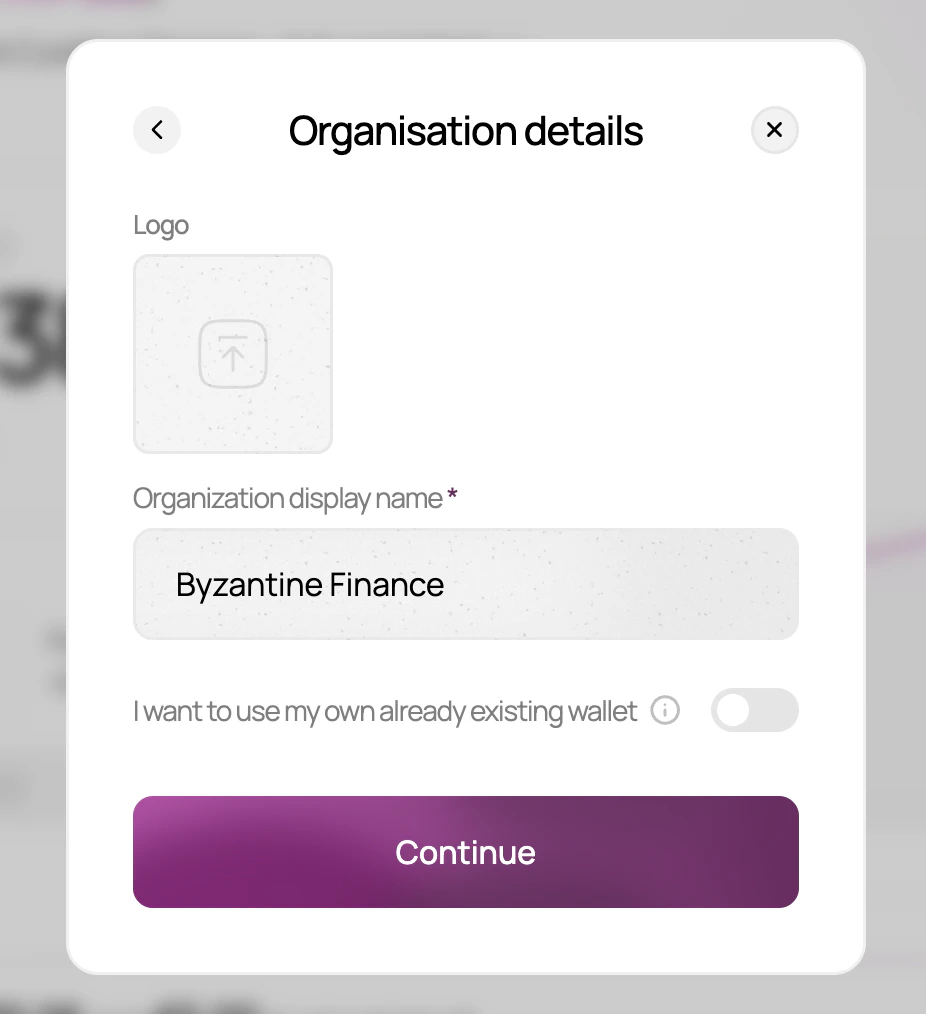
Enter the company name and, optionally, upload a logo
-
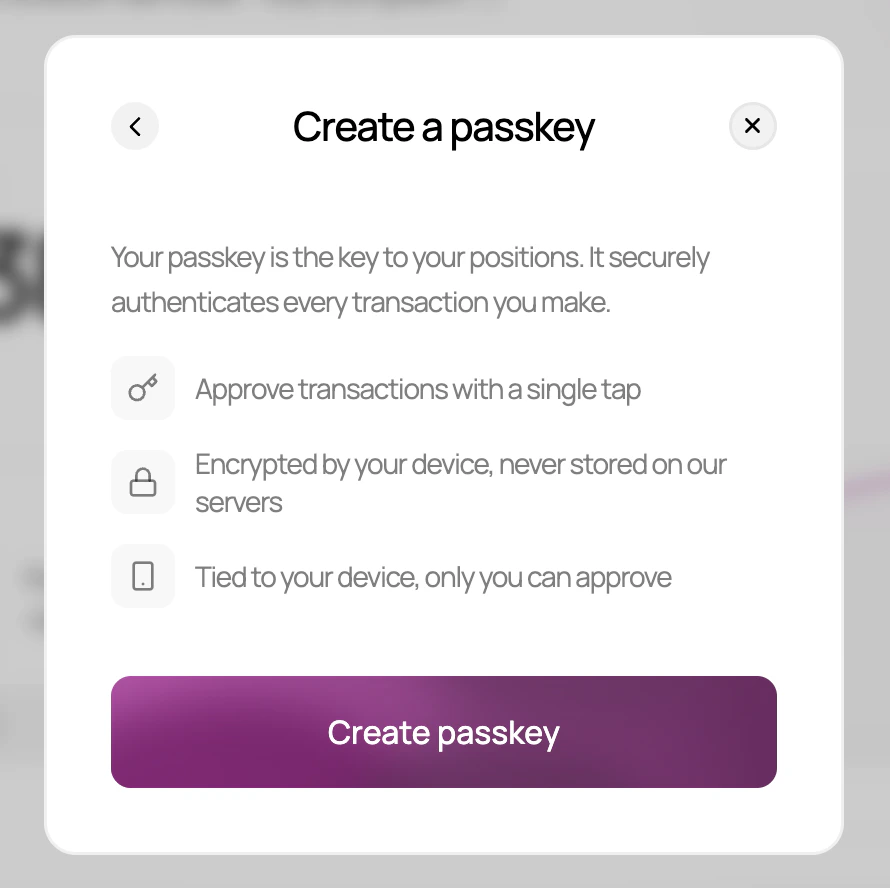
Set a passkey for this account
Step 2: Add the team
Step 2: Add the team
From the new account, invite the client company’s team or your own colleagues as members. There are two roles:
- Admin - can make deposits, withdrawals, and change account settings
- Viewer - can view the account balance and transaction history, and can also complete the identity verification on behalf of the organisation
Step 3: Verify the organisation's identity
Step 3: Verify the organisation's identity
The organisation must complete a Know Your Business (KYB) verification before it can deposit funds. This involves providing company documents, identifying beneficial owners, and having each associated person complete an individual identity check.For the full step-by-step process, see Identity verification - organisation.
Step 4 (optional): Hand over control
Step 4 (optional): Hand over control
If you do not want ongoing control over fund movements, have one of the client company’s Admins change your role to Viewer. This ensures you retain visibility over the account without the ability to make deposits or withdrawals on the client’s behalf.